
MakeBeat

Best Music Production Software for Every Workflow, Compared in 2026

The best music production software depends less on features than on how you work: looping ideas, recording takes in a line, playing live or programming drums in patterns. This list ranks paid and free programs by that fit; tools that stay free have free DAW options of their own.

  • Updated November 21, 2026
  • 12 min read

MakeBeat is made by us. It sits ninth, because it is a browser drum machine rather than a DAW. See how we ranked them.

01 · Short answer

The best music production software, matched to how you work

If you mostlyPickWhy
Make electronic music and play liveAbleton LiveSession View is built for loops and performance.
Program hip hop and trap beats in patternsFL StudioStep sequencer, piano roll and lifetime free updates.
Write whole songs on a MacLogic ProA large sound library and nothing else to buy.
Record bands and hand mixes to studiosPro ToolsThe common format in commercial studios.
Arrange MIDI and score for pictureCubaseDeep MIDI tools and a score editor.
Want every feature on a small budgetReaperA full DAW with a low priced licence.
Start on a Mac or iPhone at no costGarageBandFree from Apple; see our free list.
Sketch drums in a browser firstMakeBeatA step grid with MIDI and WAV export.

Choose by workflow first and price second. A cheap program that fights the way you write costs you more evenings than it saves money, and every program here has a trial, an entry edition or a free tier to test that fit.

Spend one evening making the same short idea in two candidates. The best music production software for you is the one where you stopped reading the manual soonest.

A producer in his forties at a home studio desk late at night, headphones on, hand on a MIDI keyboard under a warm desk lamp
02 · Workflow

Picking a DAW for music production: loops, linear tracks or live sets

Every DAW records, edits and mixes. What differs is the shape of the main screen, and that shape decides how ideas grow.

Loop first programs such as Ableton Live and Bitwig Studio put short clips in a grid you can trigger in any order, which suits electronic music and playing live. Pattern first programs, led by FL Studio, build songs from drum and melody patterns placed on a playlist.

Linear programs such as Pro Tools, Logic Pro, Cubase, Fender Studio Pro and Reaper lay the song out left to right like tape. That suits recording singers and bands, and arranging a song from start to finish.

If you are still learning what each stage involves, follow a step by step walkthrough of building your first beat before you commit to any of these programs.

03 · The ranking

Nine programs for music production, ranked

Each card in this best music production software ranking lists who the program suits, platforms, the price model and the trial or free tier, with two strengths and two weaknesses. We print price models rather than prices, because prices and sales change every month.

01

Ableton Live

Live 12 is the current version, and Ableton has announced Live 13 for early 2027. The free trial runs Suite for 30 days; after that you can open your sets but not save or export. Live 12 Lite comes free with many audio interfaces and controllers.
Best for
Electronic music, loop based writing and playing live
Platform
Windows and macOS
Price model
Buy once (Intro, Standard, Suite), with a rent to own option

Strengths

  • Session View lets you try loops against each other before you commit to an arrangement
  • Standard and Suite ship with enough instruments and sounds for a full song

Weaknesses

  • Intro is tight on tracks and sounds for a full production
  • No Linux version and no iPad version
Official siteChecked November 2026
02

FL Studio

Version numbers now follow the year, so the current release is 26.1. Every edition comes with lifetime free updates, and there is also a rent to own plan.
Best for
Programming hip hop and trap drums in patterns
Platform
Windows and macOS; FL Studio Web in the browser
Price model
Buy once (Fruity, Producer, Signature, All Plugins), lifetime free updates

Strengths

  • The step sequencer and piano roll are built around patterns, which suits beat making
  • Lifetime free updates, so one purchase keeps getting new versions

Weaknesses

  • The trial never expires and can save, but saved projects cannot be reopened until you buy
  • Fruity, the entry edition, has limited audio recording
Official siteChecked November 2026
03

Logic Pro

Logic comes with a large free Sound Library. New subscribers can try Apple Creator Studio, which includes Logic, free for 30 days.
Best for
Writing whole songs on a Mac
Platform
Mac (Apple silicon) and iPad
Price model
Mac: buy once or through the Apple Creator Studio subscription; iPad: subscription

Strengths

  • The bundled instruments, loops and Producer Packs cover a full song with no extra purchases
  • One product with no editions, so there is nothing to compare before buying

Weaknesses

  • Apple only; recent versions need an Apple silicon Mac
  • The old long Mac trial has been replaced by the Creator Studio trial
Official siteChecked November 2026
04

Pro Tools

Pro Tools Intro is a free tier from the same installer, with much tighter limits than the paid tiers. Perpetual licences came back in 2023 with a yearly support and upgrade plan.
Best for
Recording bands, editing audio and delivering mixes to studios
Platform
Windows and macOS
Price model
Subscription (Artist, Studio, Ultimate); perpetual licences through resellers

Strengths

  • The standard format in many commercial studios, so sessions travel well
  • Audio editing and mixing tools built for long recording sessions

Weaknesses

  • Pattern based beat making is not its focus
  • Most of the line up is a subscription
Official siteChecked November 2026
05

Cubase

Cubase 16 came out on November 4, 2026. Steinberg offers a free 30 day trial of Pro, which you can also run as Artist or Elements to see what the smaller editions do.
Best for
MIDI arranging and scoring for picture
Platform
Windows and macOS
Price model
Buy once (Elements, Artist, Pro), paid upgrades

Strengths

  • Deep MIDI editing, chord tools and a score editor
  • Elements is a low cost way in, with a clear upgrade path

Weaknesses

  • A large program to learn if you only want drums
  • Elements leaves out much of what Pro offers
Official siteChecked November 2026
06

Fender Studio Pro

This is the program formerly called PreSonus Studio One Pro; it became Fender Studio Pro 8 on January 13, 2026. Fender also offers a separate free app, Fender Studio, with 16 tracks after a free registration.
Best for
Song writing with fast drag and drop editing
Platform
Windows and macOS
Price model
Perpetual licence with a year of updates, or the Pro+ subscription

Strengths

  • Drag and drop workflow that many songwriters find quick
  • The free Fender Studio app runs on desktop and phones as a starting point

Weaknesses

  • The rename means older tutorials use the Studio One name
  • The free app is a smaller program, not the full Studio Pro
Official siteChecked November 2026
07

Bitwig Studio

The trial runs all features for 30 days; after that the demo mode can open projects but not save or export. Moving to a bigger edition costs only the difference.
Best for
Sound design with modulators, and Linux users
Platform
Windows, macOS and Linux
Price model
Buy once (Essentials, Producer, Studio), with a 12 month upgrade plan

Strengths

  • Modulators can move almost any parameter, which suits electronic sound design
  • One of the few major DAWs with a native Linux version

Weaknesses

  • Essentials and Producer come with smaller sound libraries than Studio
  • Fewer third party tutorials than the longest established DAWs
Official siteChecked November 2026
08

Reaper

Reaper 7 is a small download with a 60 day evaluation that has every feature. The discounted licence covers personal use and small businesses, and a licence includes upgrades through version 8.
Best for
A full featured DAW on a small budget
Platform
Windows, macOS and Linux
Price model
Buy once: a discounted licence or a commercial licence

Strengths

  • Light on the computer and deeply customisable
  • Supports VST, VST3, AU, LV2 and CLAP plugins

Weaknesses

  • Almost no bundled sounds, so you bring your own instruments and samples
  • The plain default look takes some setting up
Official siteChecked November 2026
09

MakeBeat

Ours
Not a DAW: a drum machine with nine rows on a 16 or 32 step grid, swing, patterns A and B, and 339 built-in one-shots. The beat leaves as a General MIDI drum file or a WAV, ready to drag into any program above.
Best for
Drafting drum patterns before you open a DAW
Platform
Any current browser, on desktop or phone
Price model
Free drum machine; AI full beats need an account and credits

Strengths

  • Nothing to install, and the drum machine needs no account
  • Download MIDI keeps the pattern editable in any DAW

Weaknesses

  • No recording, no uploading your own samples, no plugins and no mixer
  • Only drums and an 808 that plays one note; no melody or chords on the grid
Official siteTested on staging, November 2026
04 · Prices

Best music production software prices side by side: buy once, subscribe or start free

From each vendor's own site, November 2026. Not stated means the vendor page we read did not say.
LiveFL StudioLogic ProPro ToolsCubaseStudio ProBitwigReaperMakeBeat
PlatformsWin, MacWin, MacMac, iPadWin, MacWin, MacWin, MacWin, Mac, LinuxWin, Mac, LinuxBrowser
Price modelBuy onceBuy onceBuy once or subscribeSubscribe or perpetualBuy onceBuy once or subscribeBuy onceBuy onceFree
Entry editionIntroFruityOne editionIntro (free)ElementsFender Studio (free app)EssentialsOne editionDrum machine
Trial or free tier30 day trialTrial, no reopening30 day trialFree Intro tier30 day trialFree app30 day trial60 day evaluationFree
Built-in sounds for a full songStandard, SuiteProducer and upYesNot statedNot statedNot statedStudioFew soundsDrums only

Buy once programs cost more up front and then nothing for years; subscriptions spread the cost but stop working when you stop paying. Trials are the cheapest way to find the best music production software for you, and a 30 day trial is enough to finish one small song if you plan it.

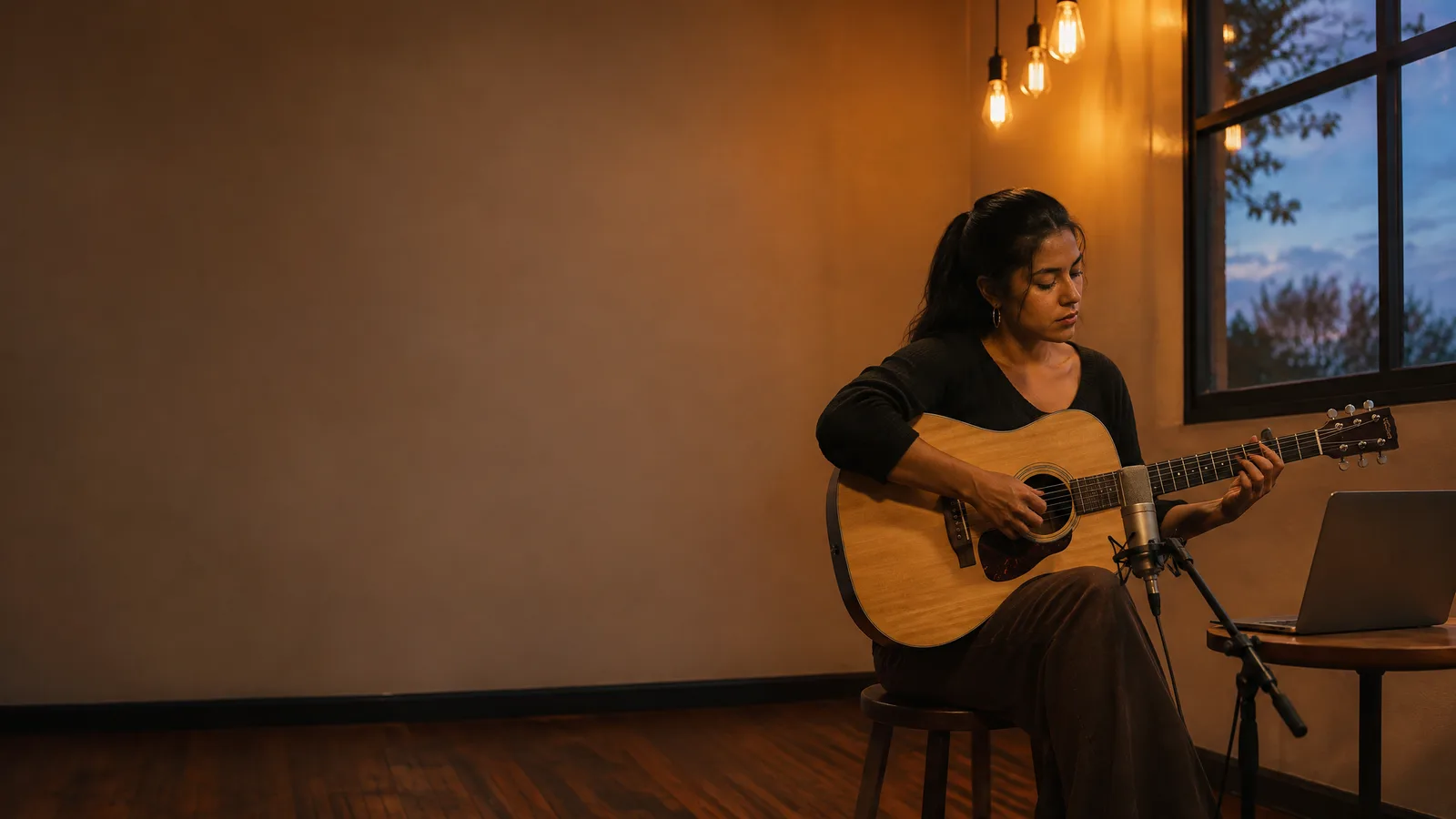
A young woman records acoustic guitar into a laptop in the corner of a rehearsal room at dusk
05 · Where we fit

Where a browser beat maker fits next to a full DAW

A drum idea is often gone by the time a DAW has loaded its plugins. MakeBeat is for that moment: you make a beat in your browser, then take it into whichever program from this list you use.

The step sequencer that runs in the browser has nine rows, swing, patterns A and B and 339 built-in sounds. Download MIDI writes a General MIDI drum file that loads onto any drum instrument in a DAW, and Download WAV gives you the audio.

If you want a whole instrumental rather than drums, the AI beat generator can turn one sentence into a full instrumental once you have an account and credits. If drums are all you need, our ranking of free beat making tools puts the browser grids side by side.

06 · Method

How we ranked the best music production software

What the ranking is based on

The order reflects how many kinds of producers each program serves well, not which one is better in absolute terms. No vendor paid for a place.
Criteria
Workflow fit, time to a first idea, built-in sounds, platforms and price model.
Versions checked
Live 12, FL Studio 26, Logic Pro, Pro Tools, Cubase 16, Fender Studio Pro 8, Bitwig Studio 6, Reaper 7.
Sources
Editions, platforms, trials and free tiers from each vendor’s own pages, read in November 2026; no prices printed.
What we did not do
We did not run speed tests on every edition, so there are no scores; MakeBeat was tested in Chrome on the staging site.

Last checked November 21, 2026

Music production software questions

Which music production software should a beginner buy first?

Start with a trial or a free tier before buying anything. Pattern based beat makers tend to settle on FL Studio or Ableton Live, Mac users who want whole songs on Logic Pro, and anyone on a tight budget on Reaper.

Can I move a project from one DAW to another?

Not as a project file; each DAW saves its own format. Export the parts as MIDI files and audio stems, and any other DAW can open those.

Is free software good enough?

Often, yes. GarageBand on a Mac or iPhone and the free tiers of several DAWs can finish a song, and our separate list covers the options that stay free.

Does it matter whether I use a Mac or Windows?

Only for a few programs. Logic Pro and GarageBand are Apple only; Ableton Live, FL Studio, Cubase, Pro Tools, Fender Studio Pro, Bitwig Studio and Reaper run on both, and Bitwig Studio and Reaper also run on Linux.

Do I need music theory before I start?

No. You can program drums and arrange loops by ear, and theory becomes useful once you write chords and melodies of your own.

Whichever of the best music production software you choose, keep a quick sketch pad next to it; the best ideas rarely arrive when the session is already open.