Rap Beat Maker Online: Build the Beat Around Your Flow
This rap beat maker opens on a 90 BPM hip hop groove with the Dusty kit, so the first bar already has space for a verse. Move the kicks around your words, then download a WAV to record over or MIDI for your DAW, free and with no sign up.
- 90 BPM
- WAV to record over
- No sign up
Pattern
Click a step to add a hit, drag to paint, Shift-click for a ghost note. Click a row name to change its sound.
SoundsKick
Making, sharing and downloading need no account. Sign in to save beats to My beats.
A rap beat maker that leaves room for the verse
A beat for rap is mostly what you leave out. The Hip hop groove above has three kicks, two snares and eighth note hats, and nothing where your voice goes.
| Kick | ||||||||||||||||
|---|---|---|---|---|---|---|---|---|---|---|---|---|---|---|---|---|
| Snare | ||||||||||||||||
| Closed hat |
Where the snare sits under a rap beat
Count the grid in fours and the snare falls on steps 5 and 13, beats 2 and 4. A rapper locks to that backbeat like a click, so keep it fixed and let the kick do the moving.
Write your lines against two snares per bar and the beat tells you when each bar ends. Boom bap keeps the same snare under a heavier swing, and you can make swung 90s hip hop drums on its own grid.
Beat maker for rappers: match the tempo to your flow
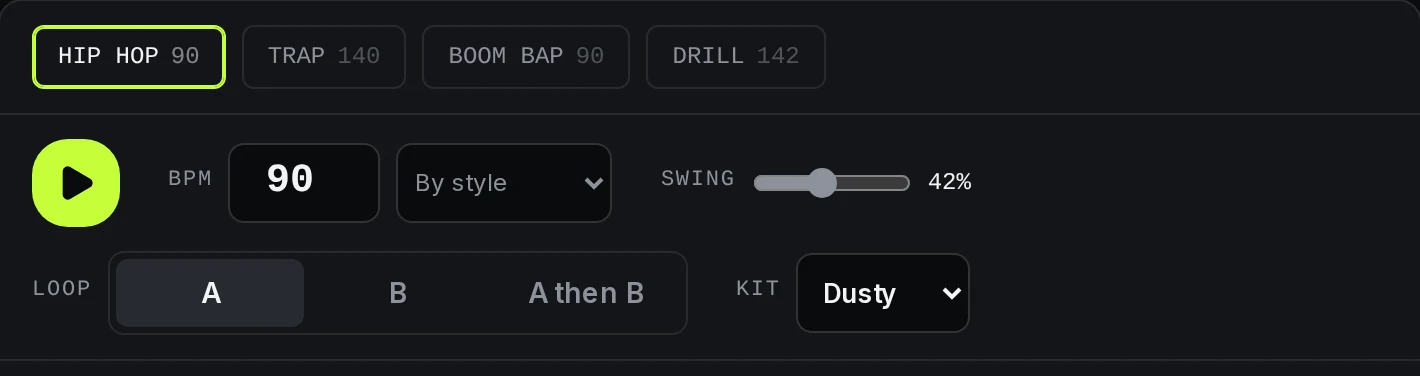
Choose the tempo from how you rap, not from a genre name. A flow that lands one word on each eighth note feels at home at 90, while a fast, packed flow usually sits better over 140 heard in half time, with one snare per bar.
| Groove | BPM | Swing on screen | Flow that fits | Kit |
|---|---|---|---|---|
| Hip hop | 90 | 42% | On the beat, a word per eighth | Dusty |
| Boom bap | 90 | 50% | Laid back, words a hair late | Dusty |
| Trap | 140 | 0% | Fast and dense, felt at 70 | 808 |
| Drill | 142 | 0% | Choppy, ahead of the late snare | 808 |
For West coast and boom bap tempos side by side, the hip hop beat creator lays out the 85 to 100 BPM range.
Muting rows in the rap beat maker's verse, hook and bridge
The machine loops one or two patterns, so a song comes from pressing M on rows while it plays.
- Intro4 bars · AKick, snare on M
- Hook8 bars · A+BAll rows open
- Verse16 bars · AOpen hat on M
- Hook8 bars · A+BAll rows open
- Bridge8 bars · AKick on M
- Outro4 bars · AHats only
The Hip hop groove has no B pattern of its own. Set Editing to B, press Copy A to B and add an open hat or one extra kick, so the hook lifts while the verse stays bare.
Keeping count across those bars is a skill of its own; the guide on how to rap on beat covers it.
Make beats for rappers and send them in one link
Producing for someone else? Four moves get the beat from your screen to theirs.
1.Set the tempo
Type the rapper’s tempo into BPM, or pick a common one from By style.
2.Loop A then B
Under Loop, A then B plays both patterns as a two bar phrase, so the hook does not repeat every bar.
3.Download WAV
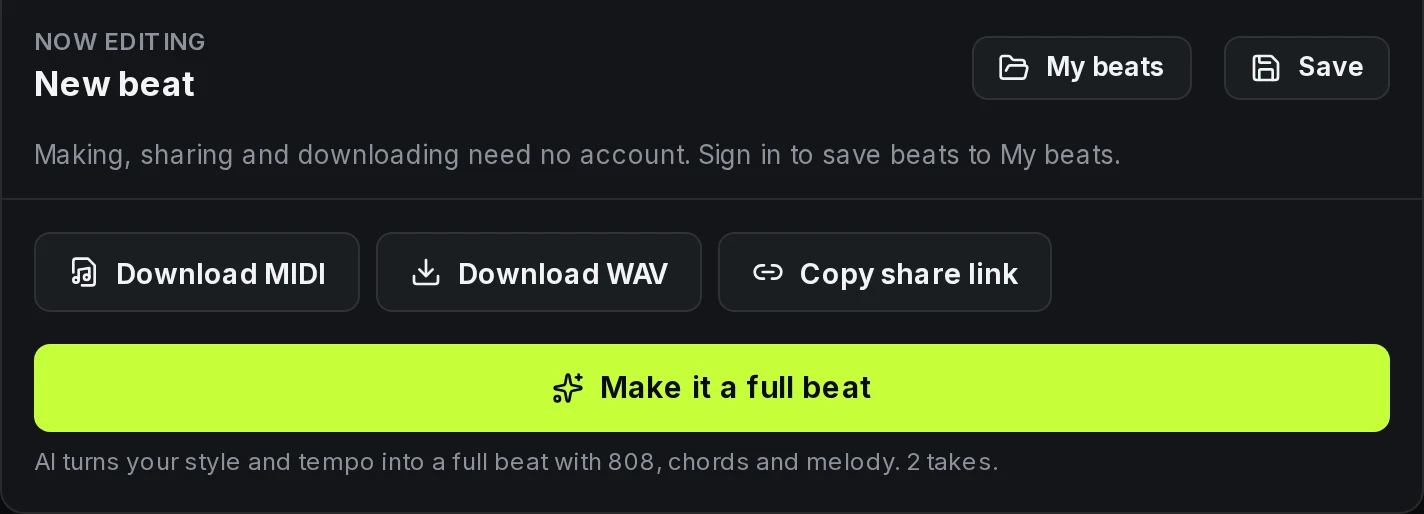
Download WAV renders two passes of A then B, ready to drag into a recording app.
4.Copy share link
Copy share link packs the whole beat into a URL that opens without an account.
| Way to send | What the rapper gets | Best for |
|---|---|---|
| Share link | The whole beat on the grid, still editable | A rapper who wants to nudge the tempo |
| WAV | Two passes of the loop, 44.1 kHz, 16 bit | Recording right away |
| MIDI | Drum notes, the 808 on its own channel | Swapping sounds in a DAW |
When the rap beat fights the vocal
- The hats smear the consonantsKeep them on the eighths and remove any extra 16ths, or pull the Closed hat volume slider down.
- A kick lands on the stressed wordMove that kick one step to the & or the a beside it; the snare stays put.
- The verse cannot keep up at 140Rap in half time against the single snare on beat 3, or type 90 into BPM.
- The snare disappears under the voiceClick the Clap row on steps 5 and 13 so a clap doubles the backbeat.
The grid plays drums and an 808 on one note, nothing else. When the verse wants chords and a melody under it, have AI write a rap instrumental; that, like Make it a full beat under the machine, needs an account and credits.
Want a different pulse under the verse? See every genre with its own drum machine; each keeps the rap beat maker tools: mute, A then B and the WAV export.
Rap beat maker questions
Can I record my vocals in this rap beat maker?
No, it plays and exports drums only. Download WAV, open the file in your recording app and record the verse over it there.
Can I put a beat from the rap beat maker in a release?
All 339 sounds in the machine are free to use in your releases. Full beats made with the AI follow the terms of your plan, which are listed on the pricing page.
How long is one beat?
One pattern is a bar of 16 steps, or two bars at 32 steps. A then B chains both, and Download WAV renders two passes of the loop.
Can the rapper change the beat after I send it?
Yes, when you send it with Copy share link. The link opens the whole beat on the grid with no account, so they can slow it down or move a kick and send a new link back.
Can the AI add a melody to my drums?
With an account and credits, yes. Make it a full beat, when it appears under the machine, turns your style, tempo and swing into two instrumentals with 808, chords and melody; it does not keep your exact hits.
How do I keep a beat for later?
Sign in with a free account and press Save, and the beat goes into My beats under the name you give it. Making, downloading and sharing work without an account.